Features
Everything the front desk, billing and branches need
Hospital administration, desk by desk: the live queue, patients, online booking requests, billing and analytics, plus the staff, branch and security controls underneath. Every screen below is the real application, shown with sample data.
- Web and Android
- Four looks to choose from
- GST billing in rupees
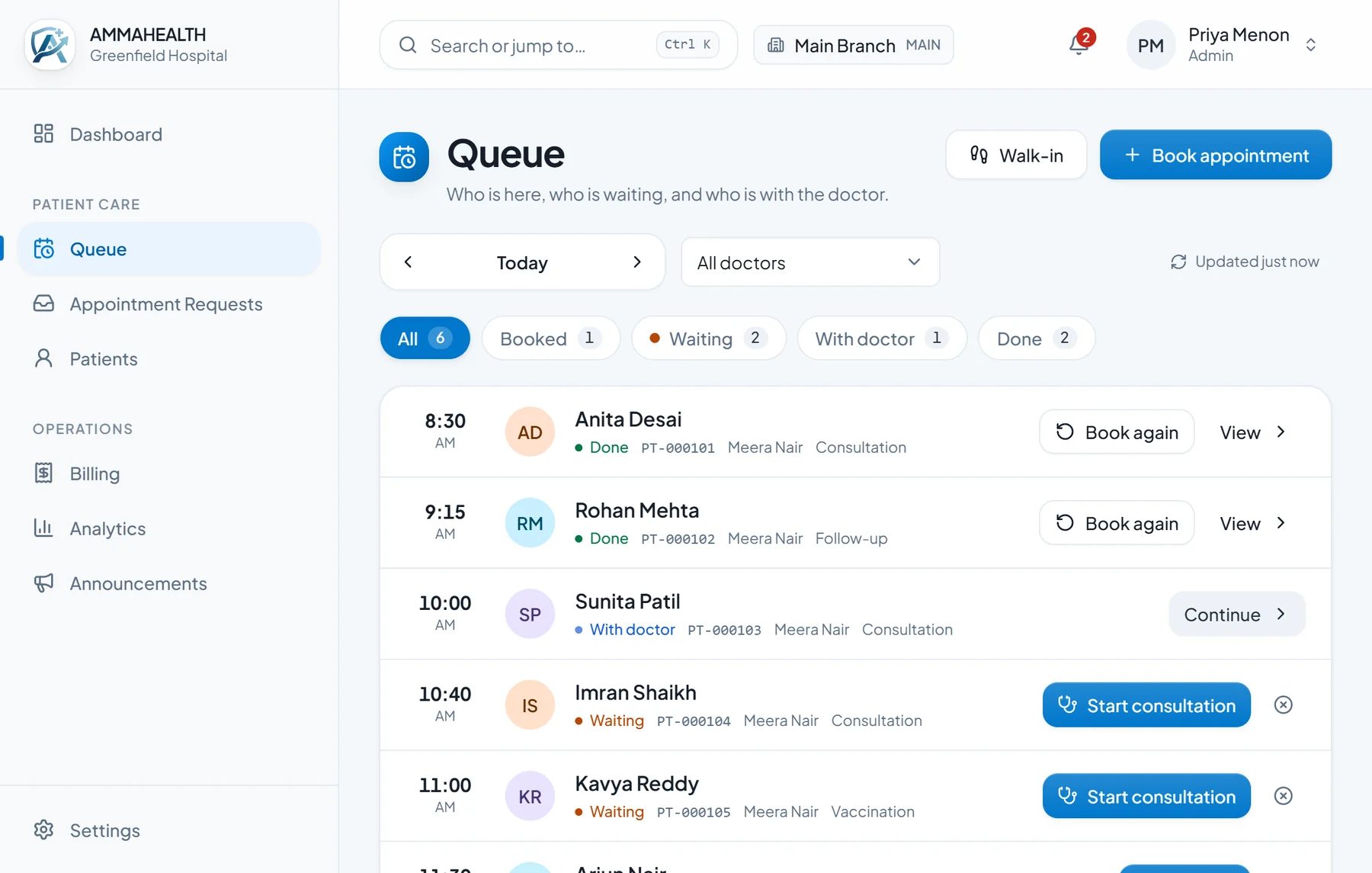
Front desk and queue
Know who is waiting, and what to do next
A live board of today’s visits. Each row has one clear next step, the counts update by themselves, and walk-ins take two clicks.
- Walk-in: pick or quick-register a patient and a doctor, and they are in the queue
- Check in, start consultation, continue: one named button per patient
- Book again from a finished visit, and bookings remember your last doctor and length
- Tentative “draft” appointments that do not hold the slot until confirmed
- When a doctor is called away, flag affected visits to be re-booked first
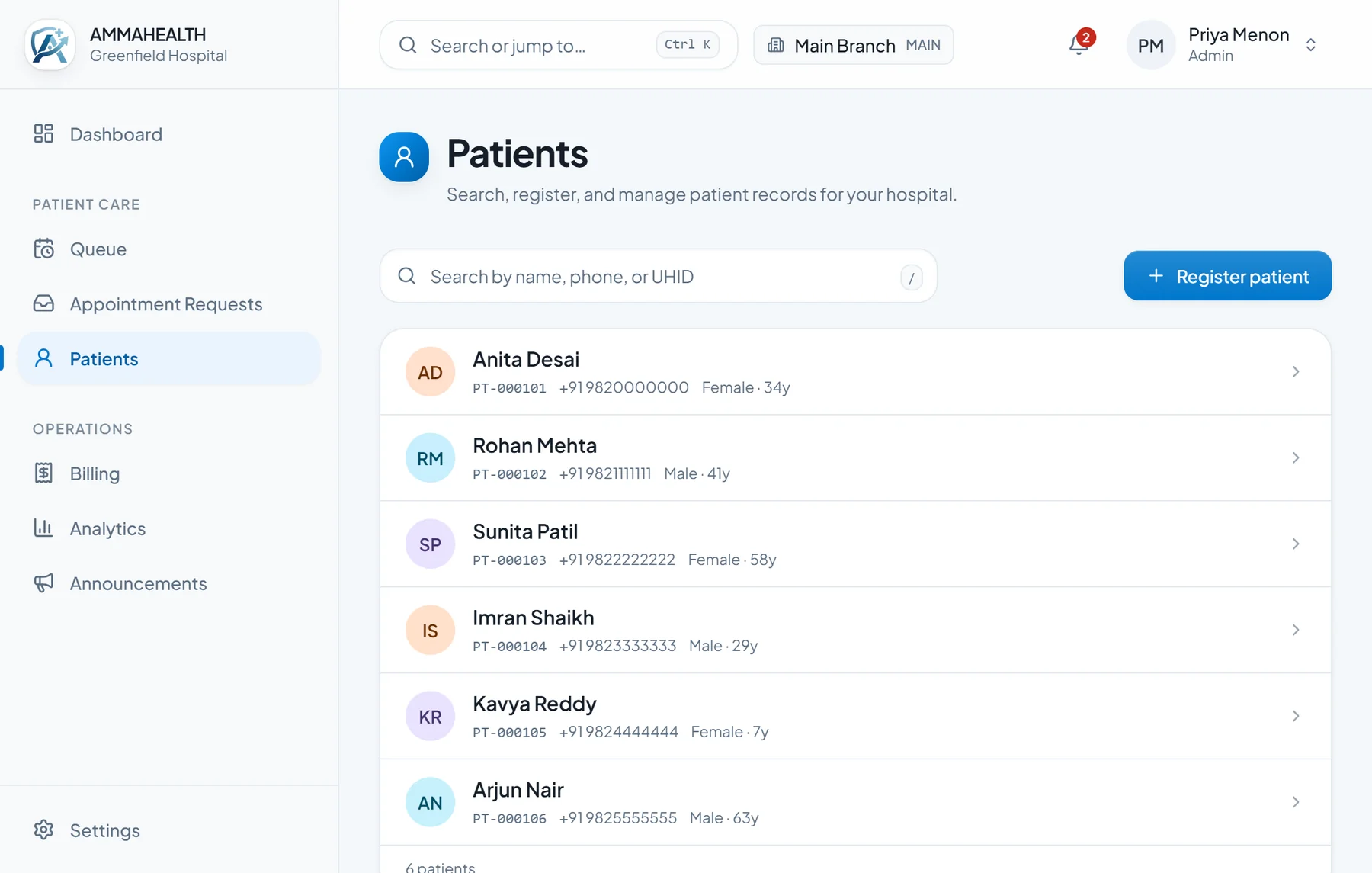
Patients
Register once, find in a second
Search as you type by name, phone number or patient ID, see past visits in one list and jump straight to booking or billing from the patient.
- Duplicate-phone hint while registering, so one person is not entered twice
- Age fills in from date of birth; you choose which fields are required
- Registering ends on “what next?”: book, or bill
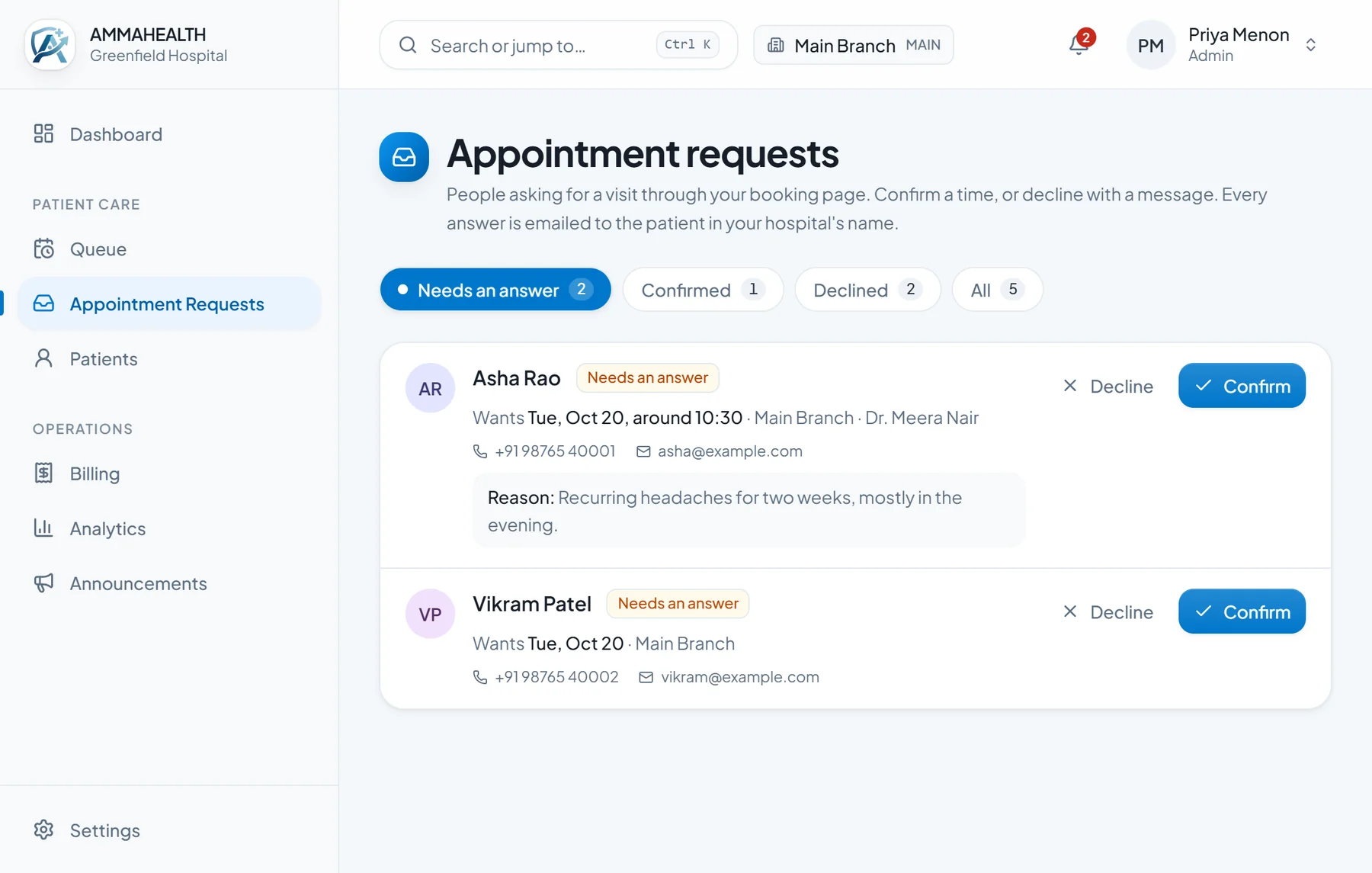
Online booking
Requests from your website, answered properly
Patients ask for a time on your own booking page. Your team confirms an open slot or declines with a reason, and the patient is emailed in your hospital’s name.
- Pick the doctor and an open slot, with the asked-for time pre-selected when free
- Ready-made decline reasons, and your own message
- Branded emails with your name, logo, phone and colours
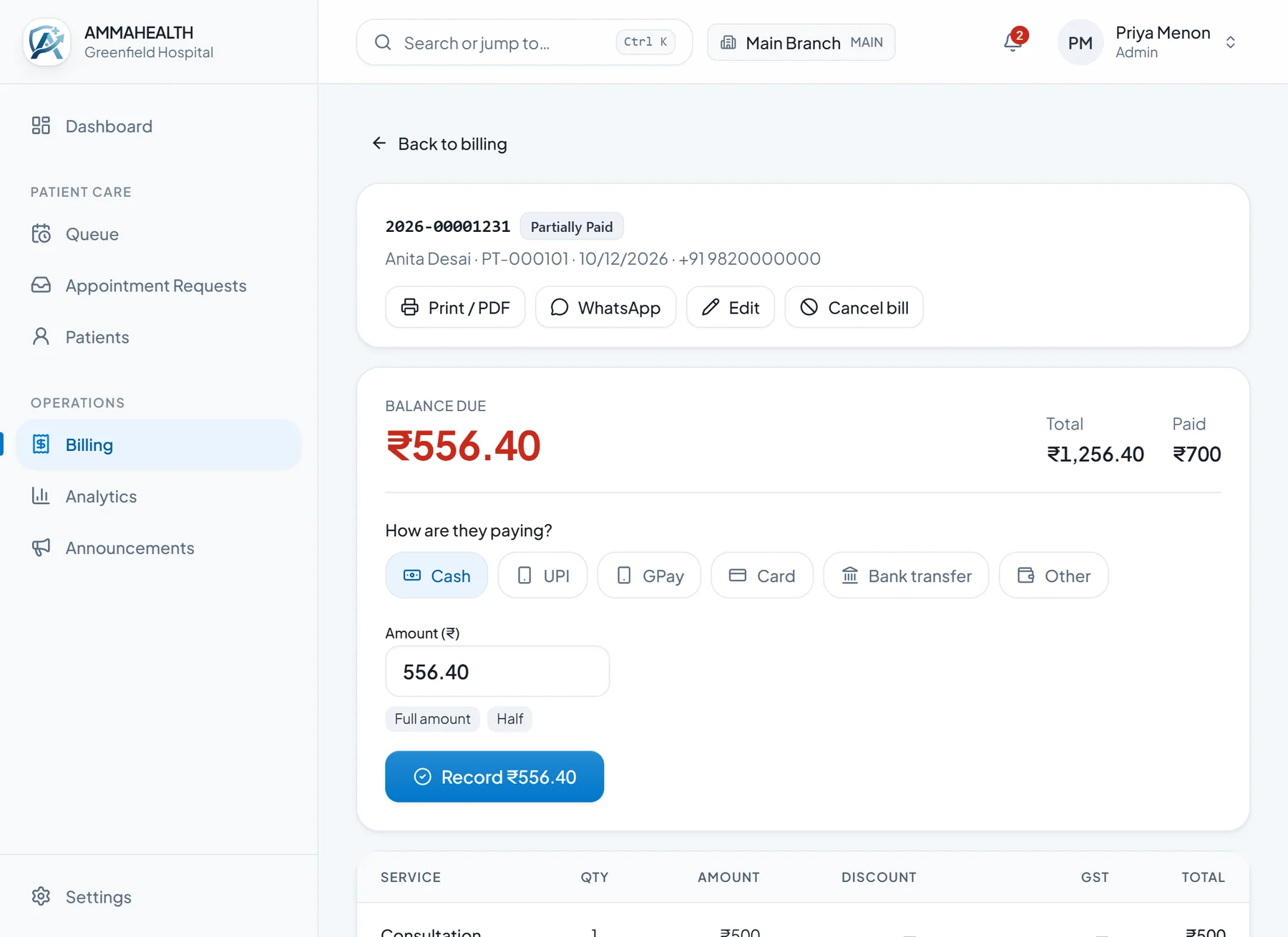
Billing
Bills and receipts without the re-typing
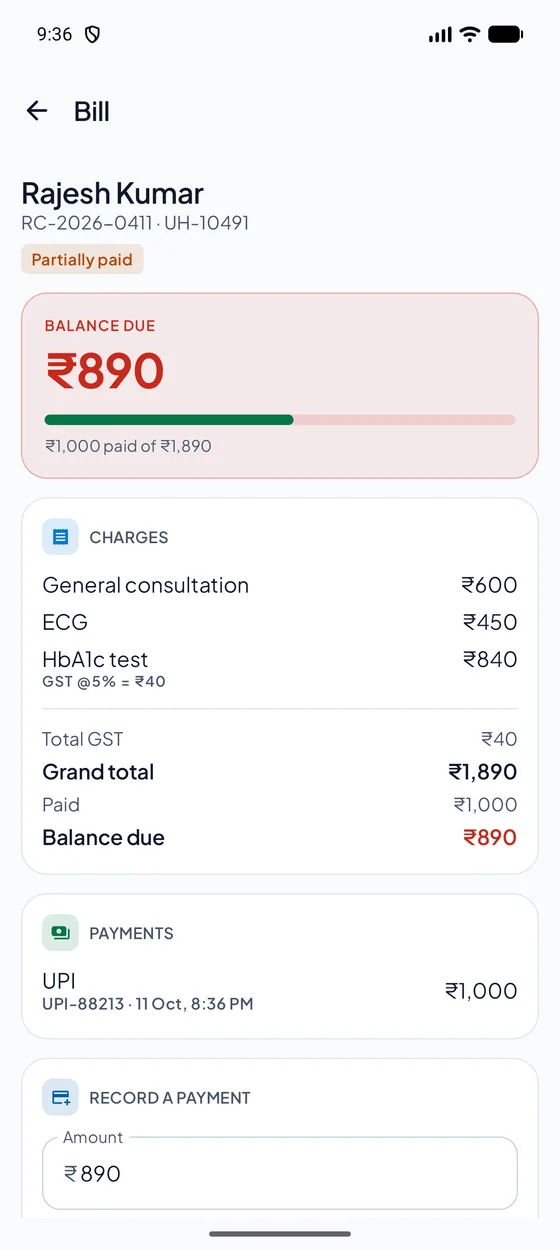
Tap services from your price list, take the payment in the same step, print or share a clean receipt. Choose what your bills show and preview it live.
- GST as CGST and SGST, optional HSN/SAC codes
- Discounts per line and for the whole bill
- Several payments per bill; balance always at the top
- Receipt templates and colours per hospital or per branch
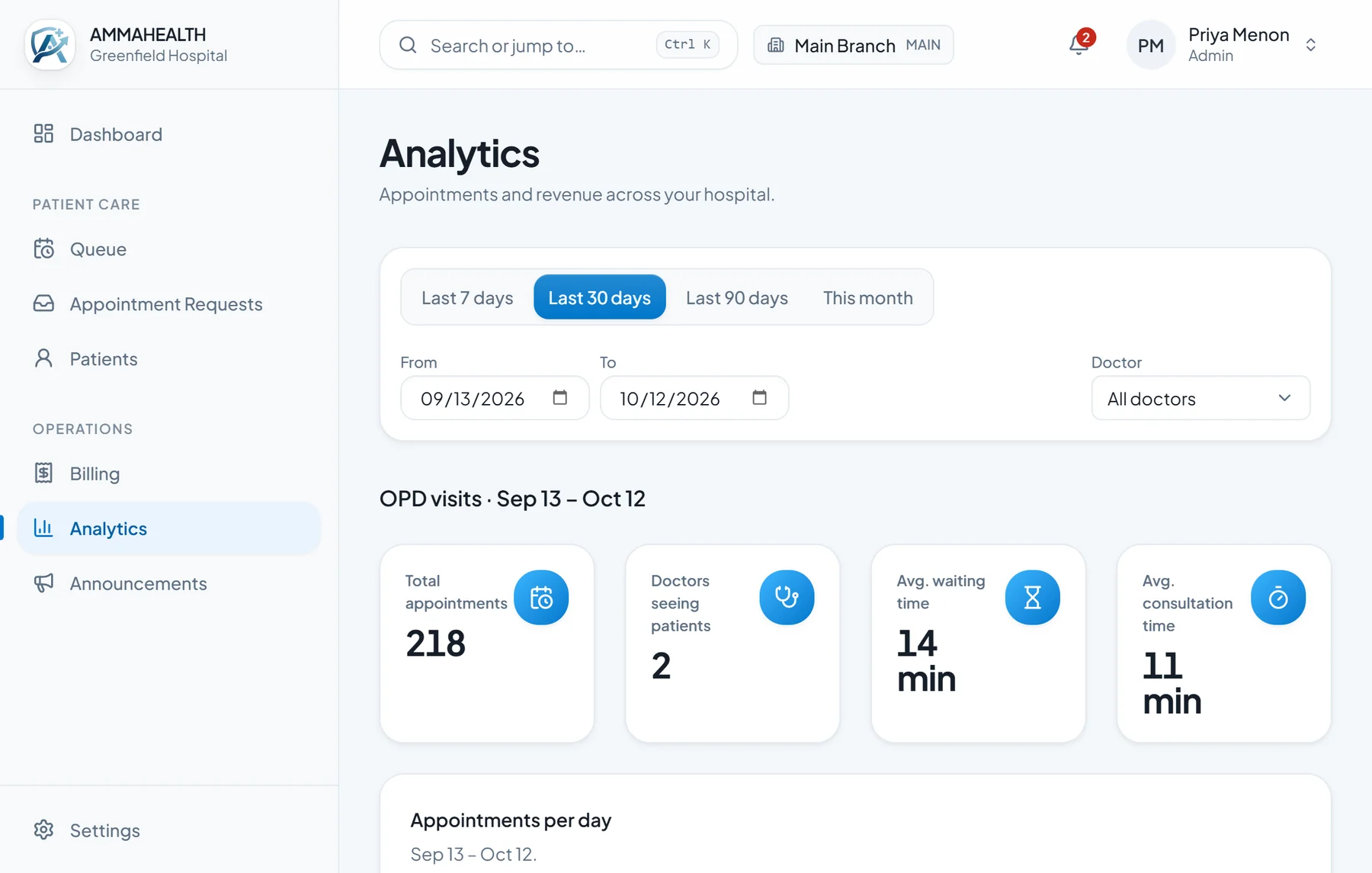
Analytics
Today’s numbers, and the trend behind them
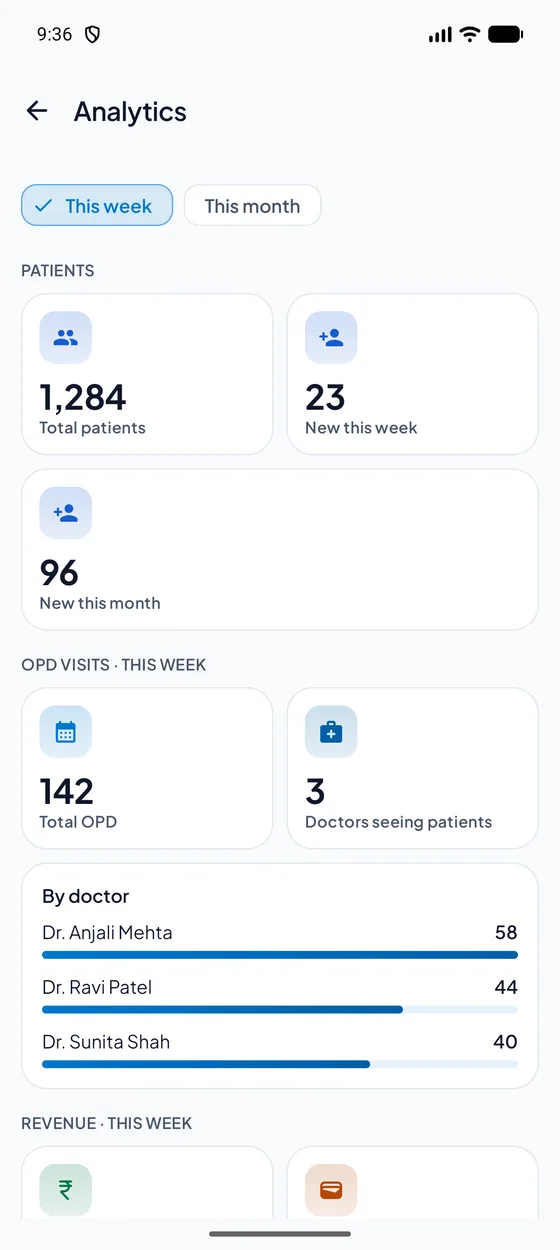
Pick any date range and filter by doctor or branch. See how busy you are, how long patients wait and how long consultations take, and what you have collected.
- Appointments per day, with a clear trend line
- Average waiting time and consultation time
- Collected and outstanding amounts by branch and payment mode
Android app
The whole day, in your pocket
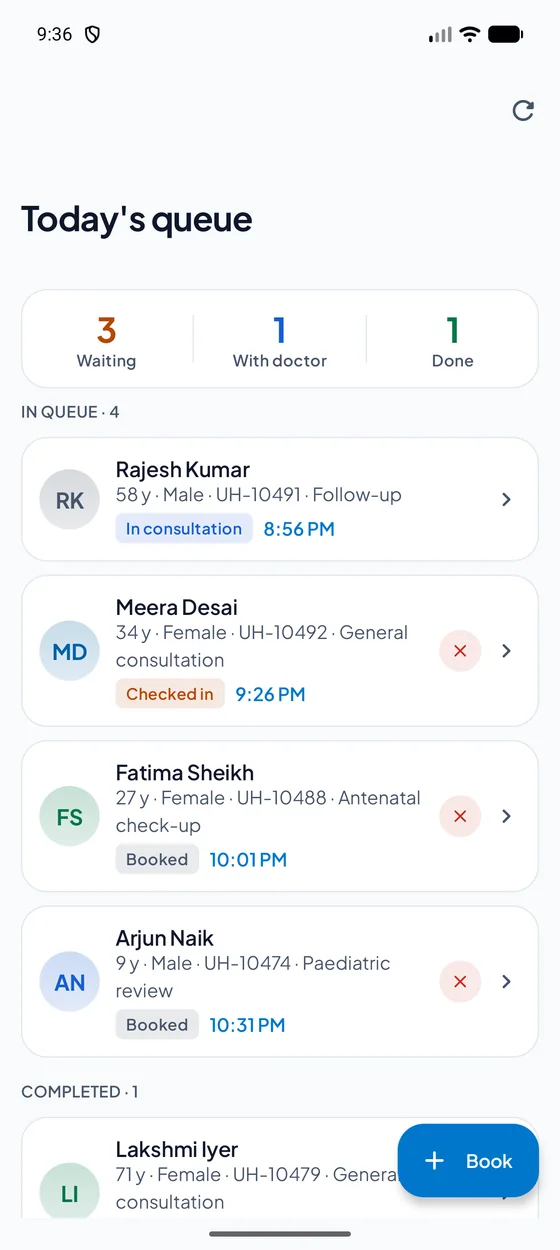
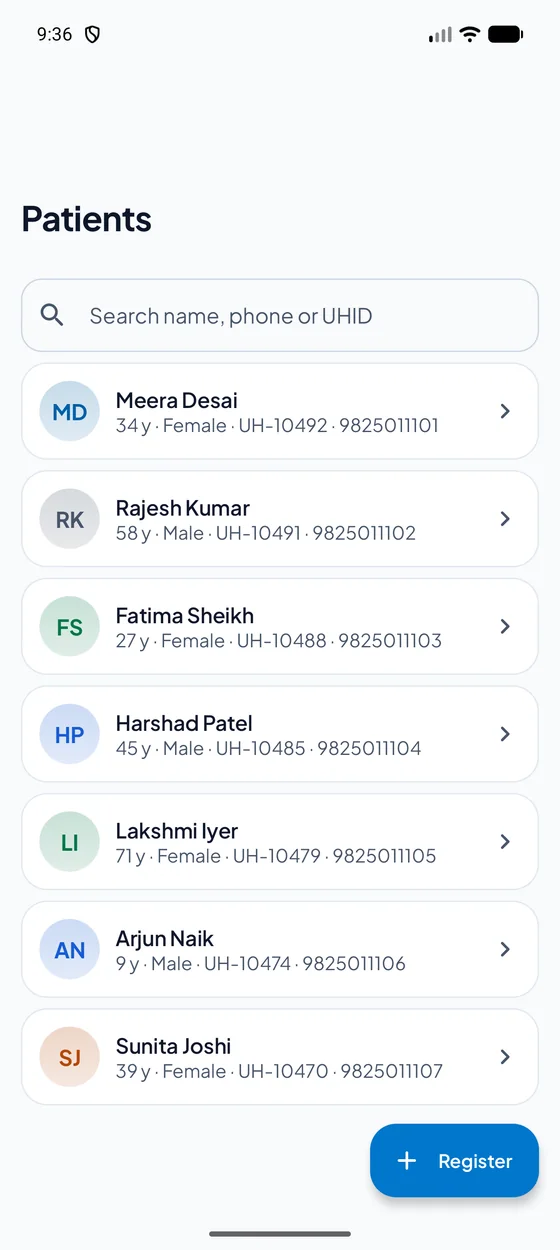
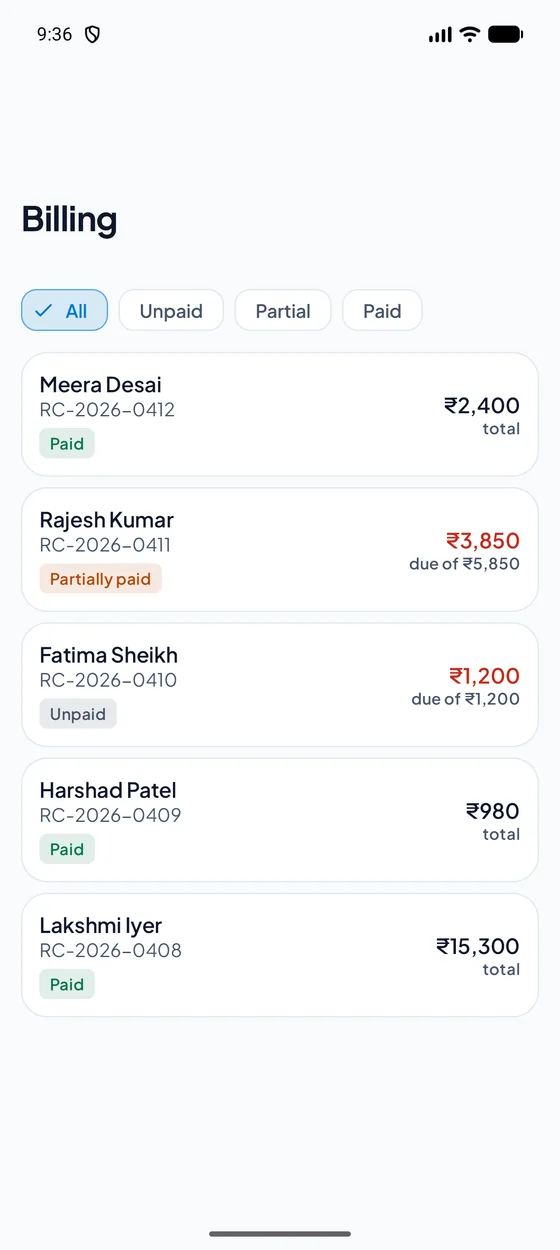
The desk work happens on a computer. For everything else there is an Android app: look in on the queue, find a patient, check a bill, approve a sign-in. Your team gets the app from us during onboarding.
- See today’s queue and who is waiting
- Find a patient by name, phone or ID
- Open a bill and record a payment
- Check analytics for the week or the month
- Approve a sign-in on a desk computer by scanning a code
Anything a person is not allowed to open on the desktop, they cannot open on the phone either: the same roles and permissions apply. Screens shown use sample data.
And more
The smaller things that add up
The parts you do not notice until they are missing.
Staff, roles and permissions
Add your team, set what each person can open, assign them to one branch or several.
Multi-branch
One login for every branch, with each branch’s data kept separate.
Announcements
Tell the right people about a change without a phone tree.
Notifications
Per-category preferences, so people hear about what concerns them.
Audit log
A record of who did what and when, for owners and managers.
Per-doctor hours and time off
Doctor-wise OPD hours, days off and holidays, respected by booking.
Your own document storage
Attach files to a record in a cloud account you own. We keep no standing copy.
Android app
Check the queue, patients, billing and analytics, and approve a sign-in from your phone.
Four looks
Light, Dark, Rose and Rose Dark, chosen by each person, comfortable through a long day.
Find anything with Ctrl + K
Jump to a patient, a page or a setting, or start a walk-in, from the keyboard.
Setup checklist and welcome tour
New owners see what is left to set up; new team members get a short tour.
Export your data
Ask for a full export at any time.
Staff attendance
From a biometric or face-ID machine your hospital already owns, connected during onboarding. It needs such a machine; it does not work without one.
By need